PT55 - Measurement Shows Zero Value
Issue
Following initial installation, the machine returns zero values during all tests.
Solution
Start the PT-55 Software (S291257 v2.0.7951.19039.exe) and then click the V-TEK logo (top right) to import the machine’s latest calibration data to the PC.
A “Calibration Reset!” dialog will appear. Click “Yes” to update all calibration data in the PC software.
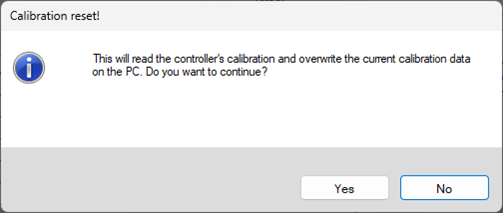
After confirming, your PT-55 is ready to use.
Related Articles
Very Small Package (VSP) Handling and Teach Considerations
Summary Checklist for successfully teaching and handling VSP Devices. Details Note that the BPM Microsystems specification sheet lists the SOT23 at 2.95 mm by 1.63 mm as the smallest device supported. Devices smaller than this will not be supported, ...Adjusting Programmer Power Supplies
All BPM manual and automated programmers rely on the use of a single power supply, per site, to power the site up. From time to time, it maybe necessary to adjust the PSU supply voltages, specifically if BPWin diagnostics fails or a voltage rail is ...Cyber Status 5, Link Error
Summary Handler will not initialise. Log file shows Cyber Status 5, Link Error. Details Conditions: Handler will not initialise. There is no motion. Log file shows Cyber Status 5. The Cyberoptics error table states "Link Fail (Sensor Data Error)" A ...Nozzle Runout
This test should be used to ensure that the Pick-and-Place nozzle is installed properly and that the CyberOptics Laser Align Camera will accurately measure a device during placement. A large runout can cause the CyberOptics Laser Align Camera to ...Are we going to be spamming customers with emails?
Short answer is no. Traditional support entails communicating via email, back and forth between the two parties. With the use of our Support Centre, we still communicate back and forth via virtual email, but with the added benefit of an online ...